
The runsheet builds itselfas you build the event.
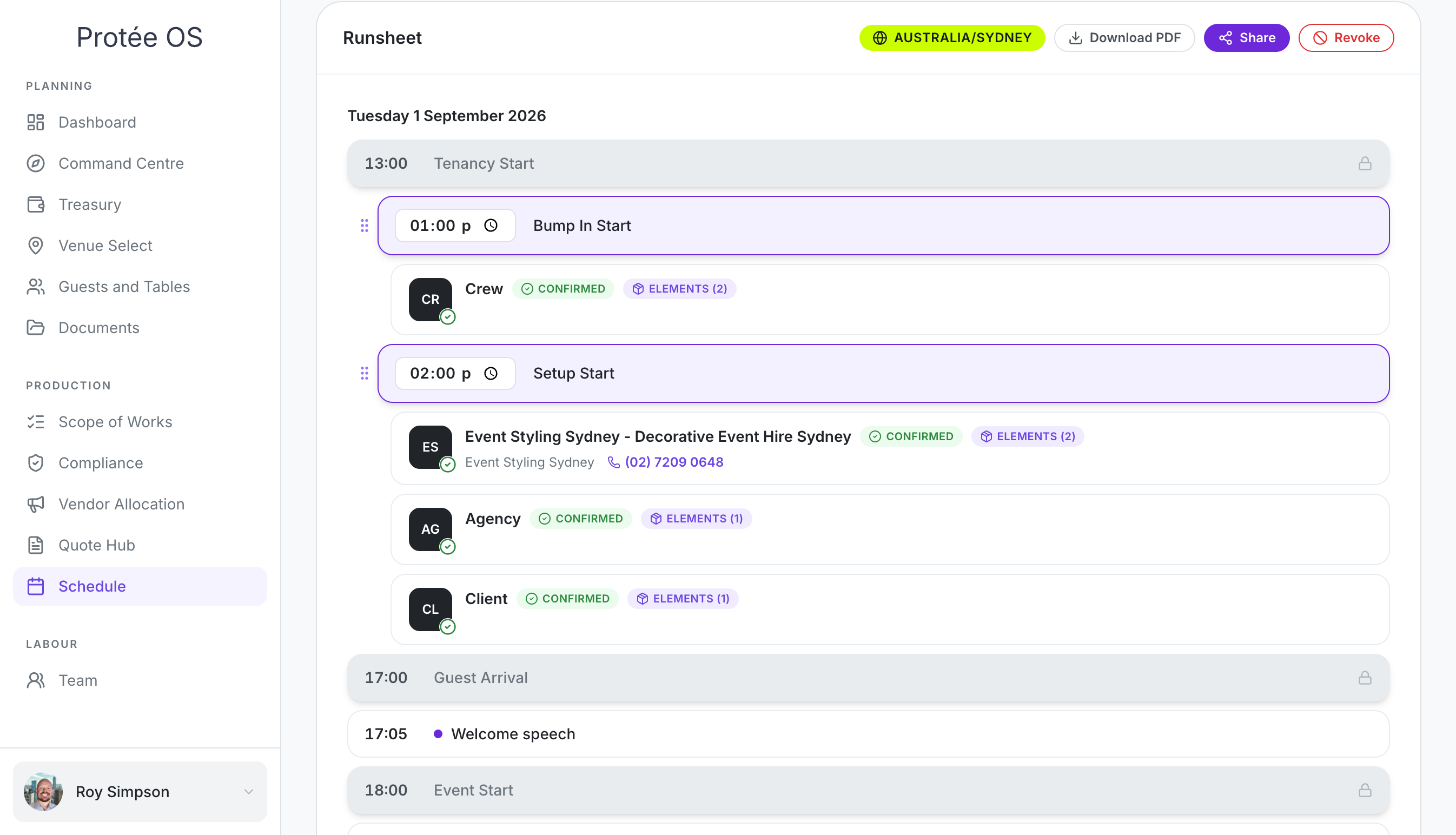
Assign a vendor or a crew member to an element and it appears on the schedule — what they're doing, when, and who to call. Nobody types it twice.
THE PROBLEM
The runsheet is a document, so it goes out of date the moment you save it.
You build it in a spreadsheet from the brief, the quotes and your own head. Then a vendor shifts their bump-in, a time moves, a crew member changes, and the runsheet still says what it said on Tuesday.
Everyone on site is working from a printout. Half of them are working from the wrong one.
THREE RUNSHEETS
One event, three views, each doing a different job.
The Command Centre Runsheet
Read-only and fully automated. A quick visual reference as you allocate elements to zones — no manual typing, nothing to maintain. It's the glance you take while you're still building.
The Live Runsheet
Your foundations auto-populate: guest arrival, event start, event finish. You add what happens during the live show — speakers, drinks, product reveals, the cake, the send-off. The part of the event the audience actually experiences.
The Schedule
Your full runsheet, and the one your site runs on. Assign a vendor, a crew member or a team member to an element and they appear here with what they’re doing, when they’re doing it, who’s responsible, and their contact details. Add anything else you need on top.
WHY IT STAYS RIGHT
Because it isn't a document.
The runsheet isn't written from your event — it is your event, read a different way. Change a time in the schedule and everyone holding that record has the change. Add a vendor and they appear. Confirm a quote and the element they're responsible for is already on the line.
One live record. One to many. No re-typing, no re-sending, no version that only exists in someone's inbox.
WHO SEES IT
The same truth, in the form each person needs it.
Your crew
See their shifts in their own portal.
Your vendors
Receive their part when you send the brief.
Your guests
Can be given the live runsheet through the guest portal, with timing changes pushed automatically.
23 years of runsheets, most of them wrong by the morning.
This was built by someone who has stood on a dock at 5am holding a printout that no longer described the event in front of him.