
One button.The vendor gets everything.
Floor plan, moodboard, dates, times, zone and the elements you want quoted — sent complete, with nothing typed by you.
THE PROBLEM
The brief goes out incomplete, and everyone pays for it later.
You email a vendor. They come back asking for the floor plan. You send it. They ask what time the dock opens. You check. They ask which end of the room they're in, and you describe it in a sentence that means something different to them than it does to you.
Four emails later they quote — for something slightly other than what you asked for. You find out on site.
80% of what reaches a vendor contains errors.
Not because anyone's careless. Because a brief assembled by hand, from four sources, by whoever had time, is going to be wrong.
SOURCING
Any city. Any category.
Search for AV, styling, florists, catering, hire, fabrication — any vendor with an online presence, in the city your event is actually in.
Interstate, trans-Tasman or overseas, the process is identical. You're not restricted to a directory of people who happened to sign up.
THE BRIEF
Assign the elements. Press send.
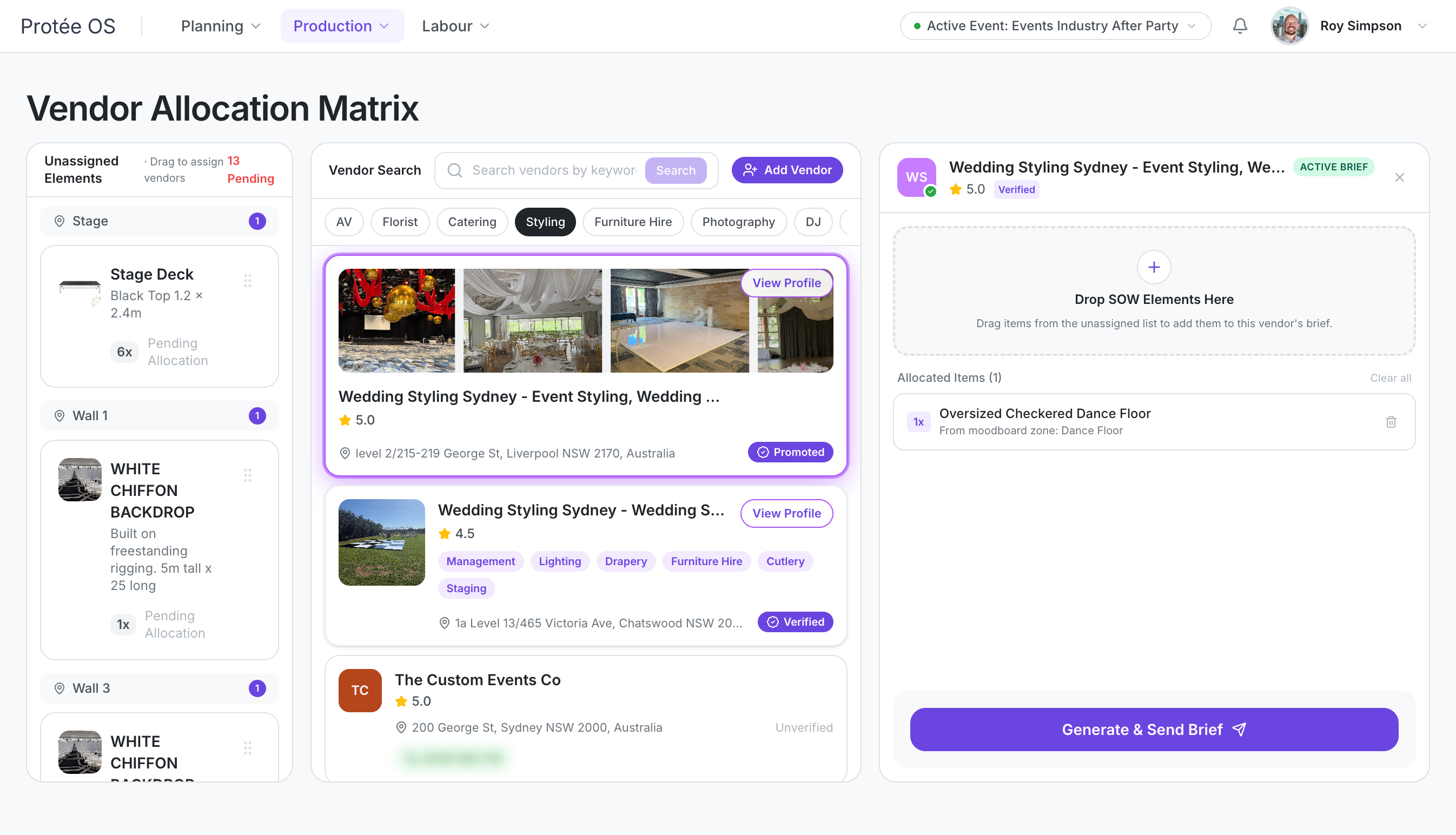
Pick the elements you want that vendor to quote on and send. They receive:
- The elements, with your quantities, images, weights and descriptions
- The moodboard for their zone
- The floor plan with their zone marked
- Every date and time — tenancy, bump-in, guest arrival, event, bump-out
- Where in the space they’re working
All of it drawn from the event you've already built. You don't assemble it, so it can't be incomplete.
The more detail you've put into your element library, the better the brief that goes out — and the closer the quote comes back to what you actually meant.
VENDOR TYPES
You can see who you're dealing with.
Verified
Used by other Protée OS agencies and profiled in their own vendor portal. ABN checked, BSB verified, insurance documents and contact details on file.
Promoted
Verified vendors who’ve paid to be surfaced. Marked as promoted wherever they appear, so you always know why you’re seeing them.
Search result
Found by the platform, not yet onboarded. You can brief them the same way; they just haven’t completed a profile.
Verified profiles carry simple performance signals:
Read the second as a signal rather than a price — it's an average across jobs of every size.
WHAT COMES BACK
The quote lands next to the brief.
Vendors return their quote by PDF. It arrives in your inbox, and it also appears in your Quote Hub beside the brief you sent — side by side.
You asked for 200 white Ghost chairs with no arms. The quote is for 200 armed Ghost chairs.
You see it on a screen, two weeks out, instead of at 6am on the day.
Confirm it and the price flows to your scope of works and your budget.
WHAT VENDORS GET
They don't pay, and they don't need an account.
Vendors receive complete briefs they can quote quickly, with no seat, no subscription and no software to learn. They can build a profile if they want to be findable by other agencies — that's their choice, not a condition of working with you.
A brief that's easy to quote gets quoted faster. That's the whole reason vendors engage with this.
Built by someone who spent 23 years receiving bad briefs.
The 80% figure came from measuring six weeks of them, arriving in my own inbox as a vendor. This is the fix.