
The Dynamic EventSeating Chart.
Stop mapping tables with sticky notes and static spreadsheets. Design dynamic seating arrangements that auto-sync with your master guest list, VIP statuses, and critical dietary requirements. Just place the person, and the data follows.
THE SEATING HUB
Fluid seating for last-minute changes.
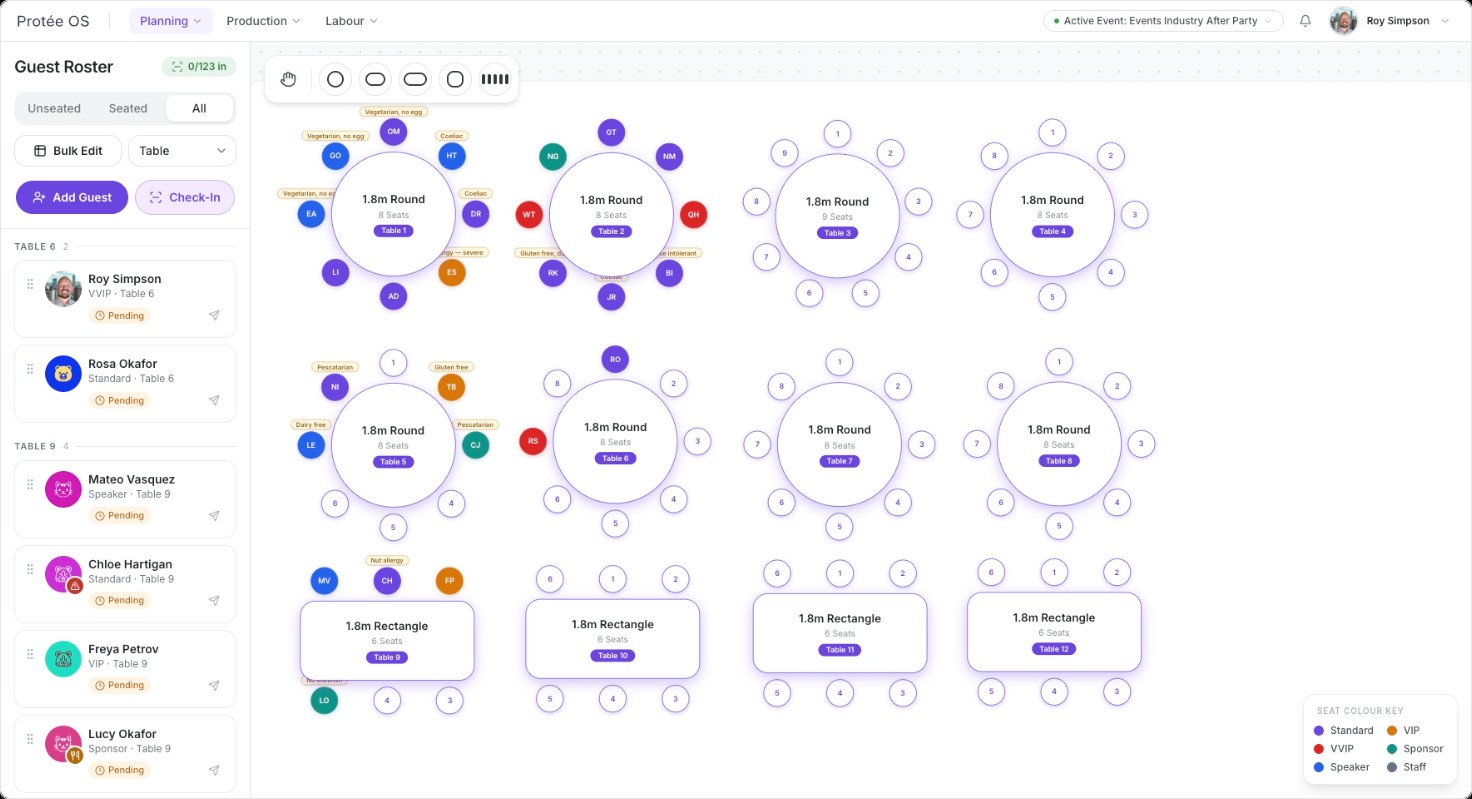
Protée OS takes the friction out of floor plans. When the guest list changes, your tables adapt instantly.
Drag-and-Drop Placement
Visual seating without the headache. Simply drag a confirmed guest from your master list and drop them onto a specific table or assigned seat. The interface is clean, intuitive, and built for speed.
Live RSVP Sync
Say goodbye to manual cross-referencing. The seating chart is directly hardwired to your Protée OS Guest List. If a guest updates their RSVP to "Declined," their seat automatically empties on your chart, ready to be reassigned.
Sticky Data Tags
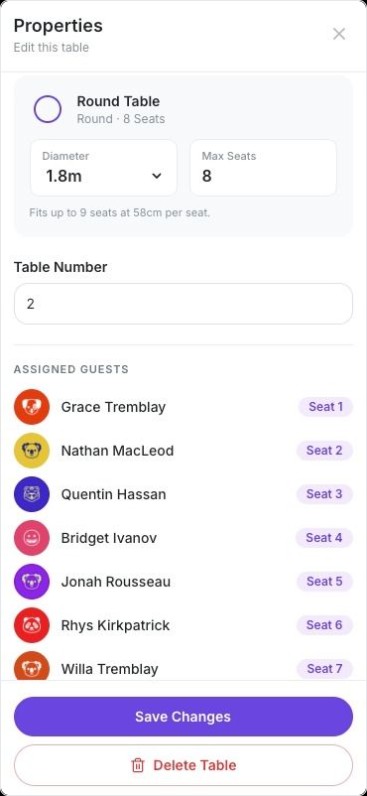
Dietaries and VIP statuses move with the guest. When you move a high-value sponsor from Table 10 to Table 2, their "Gluten-Free" and "VIP" tags travel with their profile. Catering and FOH are never left looking at an outdated list.
FOH & CATERING
Precision data for Front-of-House and Catering.
Ensure your floor staff and kitchen know exactly who is sitting where, down to the specific chair.
Capacity Guardrails
Never accidentally over-seat a table. Set specific pax limits for different table types (e.g., 10-pax rounds vs. 12-pax longs). The system visually flags you if you attempt to place an 11th person at a 10-pax table.
Seamless FOH Export
Generate flawless run-sheets for the floor. With one click, export a clean, alphabetized seating list for your check-in staff, alongside a table-by-table dietary breakdown for your Banquet Manager.
The "Last 24 Hours" Reshuffle
Handle the inevitable drop-outs gracefully. When you get a cancellation on the morning of the gala, you can condense tables and re-seat guests in seconds, instantly generating a fresh, accurate list for the venue.
THE REALITY CHECK
Sticky notes belong in the bin, not on a floor plan.
Managing a 500-person gala seating chart on an Excel sheet—or worse, a printed piece of paper with white-out—is a massive waste of administrative time. When a sponsor demands to be moved next to the CEO, moving them manually means updating three different spreadsheets to ensure the catering team knows where the vegan meal needs to go.
Protée OS isolates the seating process into a dynamic, visual matrix. You focus on the strategy and politics of who sits next to who; the software automatically handles the data tracking in the background.
Seating is Strategy. Spreadsheets are Static.
"The seating chart is your most powerful political tool at an event."
Having managed the logistics of 500+ person galas for 23 years, we know that seating is where strategy meets execution. Protée OS was engineered to protect that strategy while automating the execution.